

Suppliers
How do I add a supplier, or merge two duplicates?
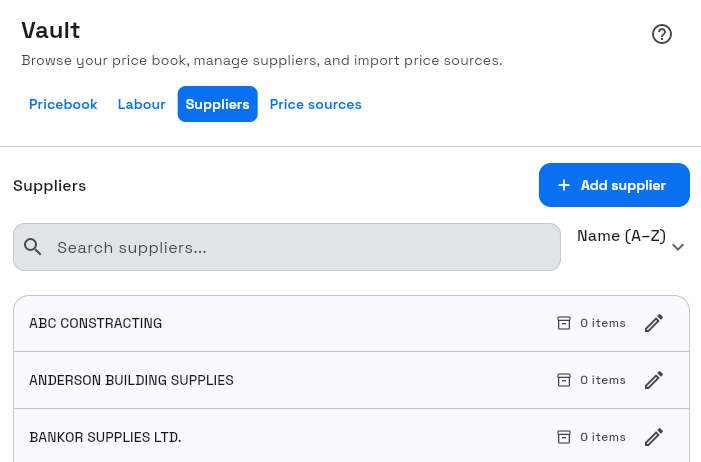
Suppliers live in the Vault under the Suppliers tab. They link priced items and price sources.
What to watch for
- Creating, merging, and deleting suppliers need the Site Admin or Org Admin role.
- Merge supplier is one-way — pick the survivor carefully.
1. Open Suppliers
- Left rail Vault.
- Select Suppliers.
2. Add a supplier
- Select Add supplier.
- Complete the identity fields and save.
Success: the supplier appears in the sorted list (Sort · Name (A–Z) / Name (Z–A)).
3. Edit settings
- Open a supplier.
- Use tabs Items, Sources, and Settings.
- On Settings, edit Identity (Name, Website) with Edit details.
4. Merge suppliers
- On Settings, select Merge supplier / Merge into another supplier.
- In Merge supplier, choose Merge into.
- Select Merge (Merging… while it runs).
Success: items and sources consolidate onto the target supplier; the source supplier is removed.
5. Delete
Use Delete supplier only when the supplier should leave the organisation entirely. Prefer merge when you are cleaning duplicates.