

Labour rates & modifiers
How do I set labour rates and modifiers for South and North?
The Labour tab holds organisation labour Rates and Modifiers by region. It is Vault data, not a Templates surface.
What to watch for
- Setting and removing rates needs the Site Admin or Org Admin role. Estimators and Approvers can see rates but cannot change them.
- Regions include South and North (shown as South $… · North $… when set).
- Hourly charge-out at quote time may still be configured later in the quote flow — the tab notes Hourly charge-out rates are configured at quote time (Phase 2). when that copy is present.
1. Open Labour
- Left rail Vault.
- Select Labour.
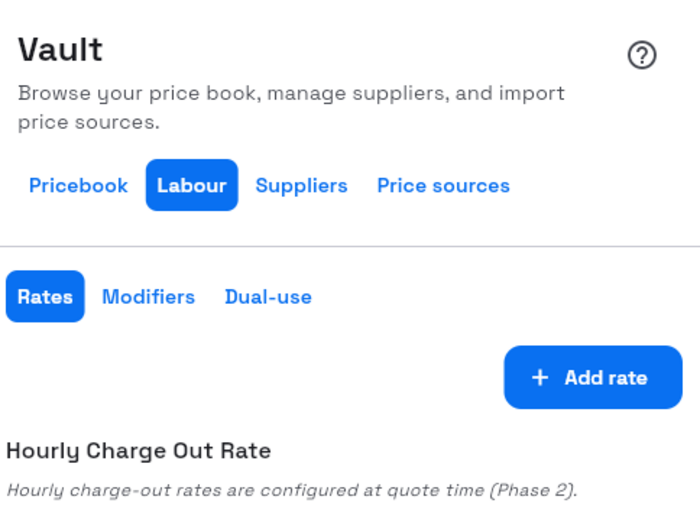
2. Set a rate
- Stay in the Rates zone.
- Select Add rate or Set on a category row.
- In Add labour rate / Set labour rate — {name}, enter regional values and Unit.
- Select Save (Saving… while it runs).
Success: the row shows the South / North amounts. Empty categories show No labour rates set for this category yet.
3. Modifiers
- Open the Modifiers zone.
- Add or adjust modifiers for the categories that need them.
- To remove, use Remove modifier, then confirm Remove.
Empty state: No labour modifiers yet… when none exist.
What’s next
- Importing a price list for labour schedule files
- Managing the pricebook